
Bring your organisation's
human risk into sharp focus.
PhishLens runs authorised phishing simulations at enterprise scale, then turns every open, click and report into live, board-ready insight — privacy-first and built for SEBI, RBI and IRDAI-regulated teams.
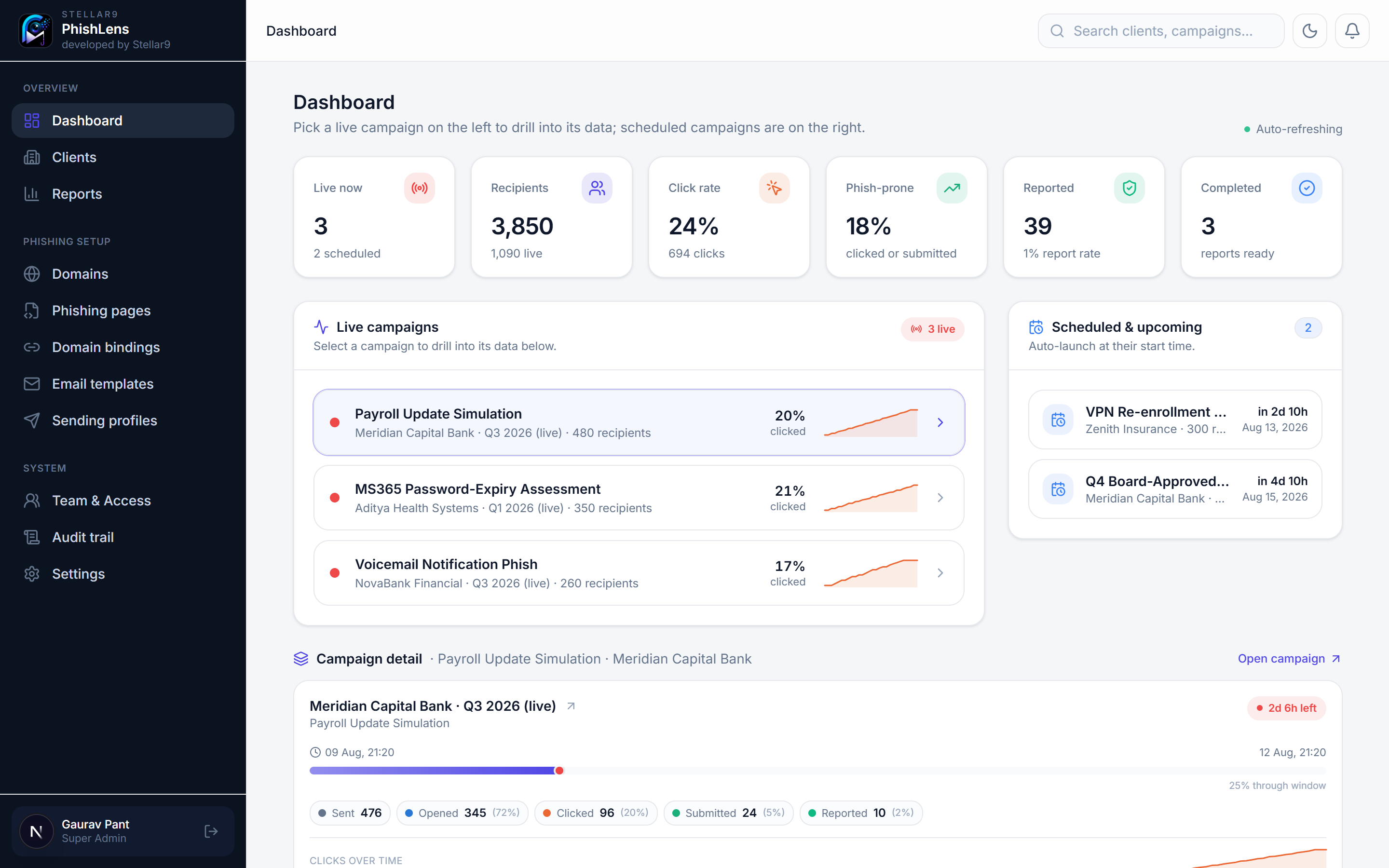
One product for the entire simulation lifecycle.
From onboarding an auditee to signing off the board report — every step lives in a single, multi-tenant console, with responsible handling built in.
Live human-risk dashboard
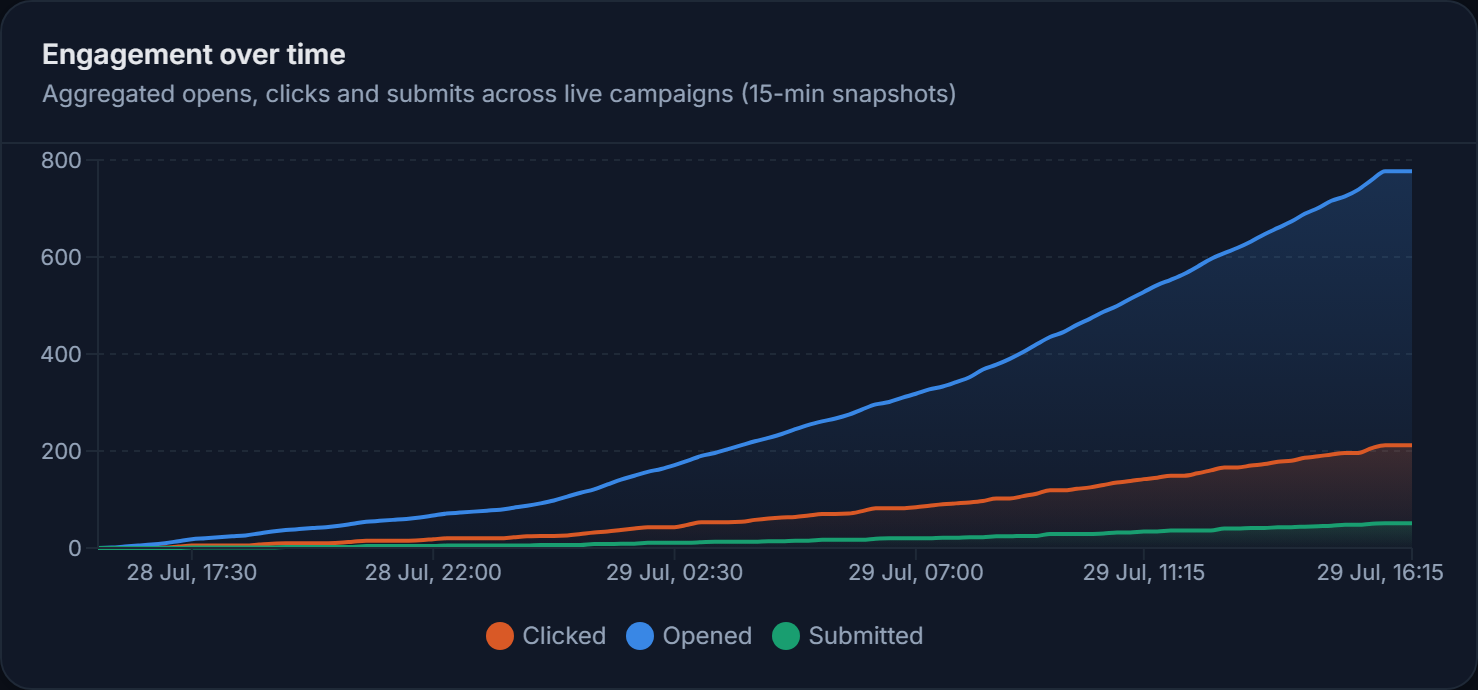
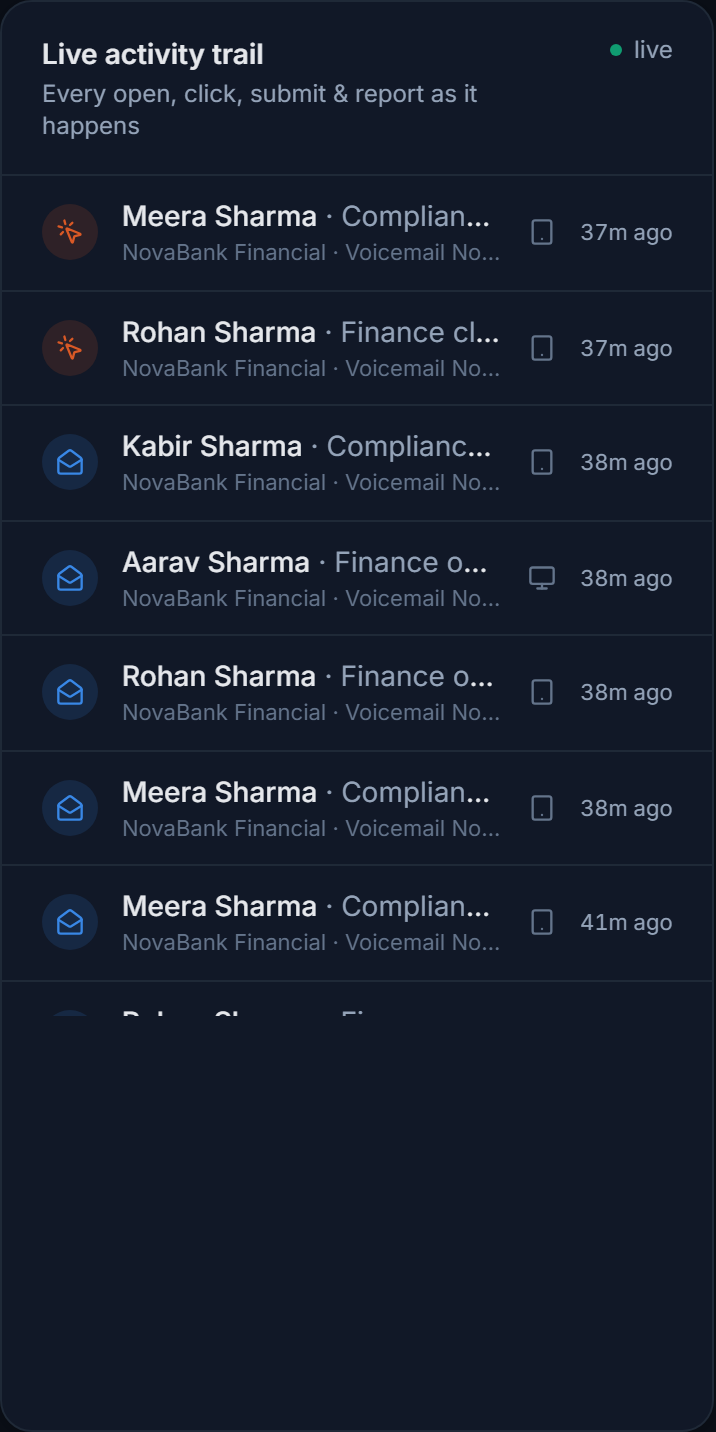
Watch every open, click, submit and report stream in real time — engagement charts, per-department risk, device mix and window countdowns that stay sub-100ms at 10,000 recipients.
Event-only by default
Prove a click or submit happened without storing what was typed. An optional, encrypted-at-rest capture mode exists for authorised engagements — super-admin only, fully audit-logged.
Sector-matched lure library
15+ ready email lures and recognisable landing pages, tagged by sector and paired to each other. Customise in a visual editor with merge-tags and one-click test sends — no HTML required.
Board-ready reports
Generate a branded PDF and editable Word report in one click — phish-prone versus industry benchmark, department breakdowns and remediation findings, ready for the audit committee.
Set-and-forget scheduling
Give a campaign its start and end dates and it launches, runs and closes on its own. A durable worker keeps 10k sends flowing at your relay's pace, restart-safe and idempotent.
Deliverability, verified
Live SPF, DKIM, DMARC and TLS checks on every sending domain, DKIM signing built in, and send rates tuned to your relay so campaigns land in the inbox — not the spam folder.
Client self-service portal
Give each auditee their own secure, scoped portal — they launch, monitor and review only their own campaigns in real time, with full transparency and zero access to your lures, domains or sending profiles.
Forensic audit trail
Every action — onboarding, page edits, launches, stops, captured-data views, exports — is written to an append-only log with actor, timestamp and IP. Filter, search and export to CSV or JSON for the regulator.
Total visibility, the moment a campaign goes live.
Real-time trails, charts, coverage and integrity — every signal in one place, with the transparency security and GRC teams expect.
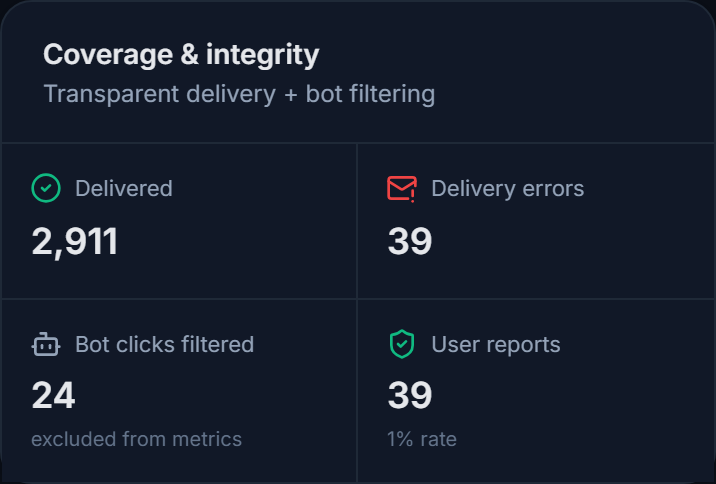
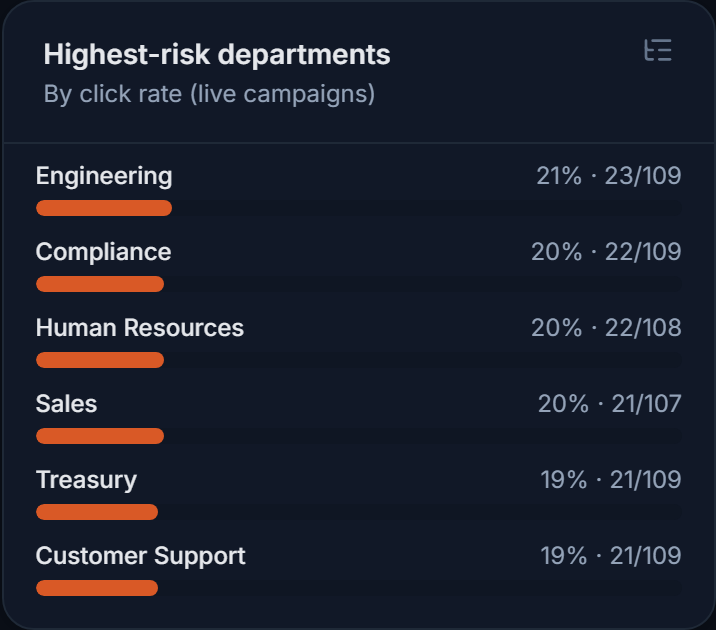
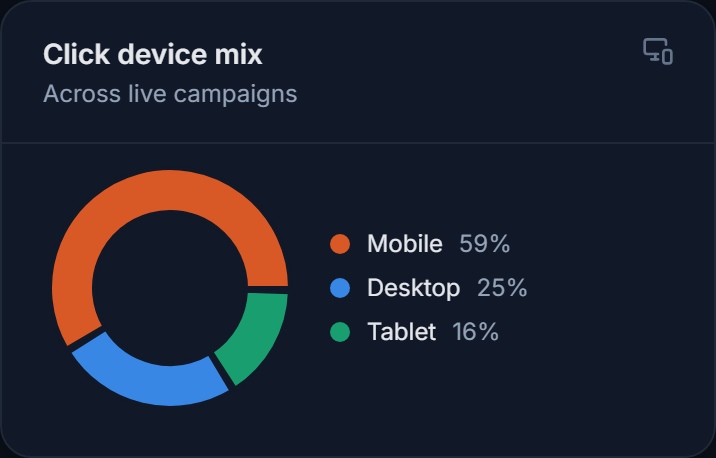
Launch, watch and steer in one place.
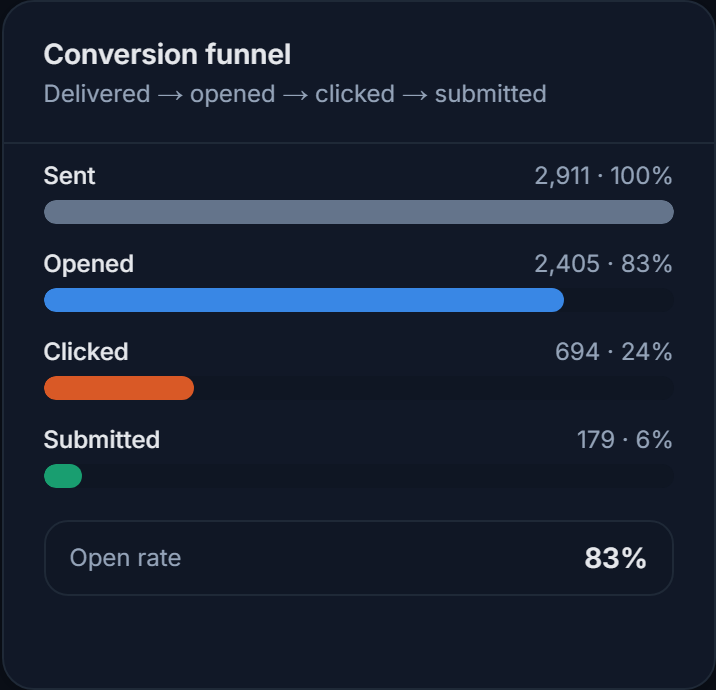
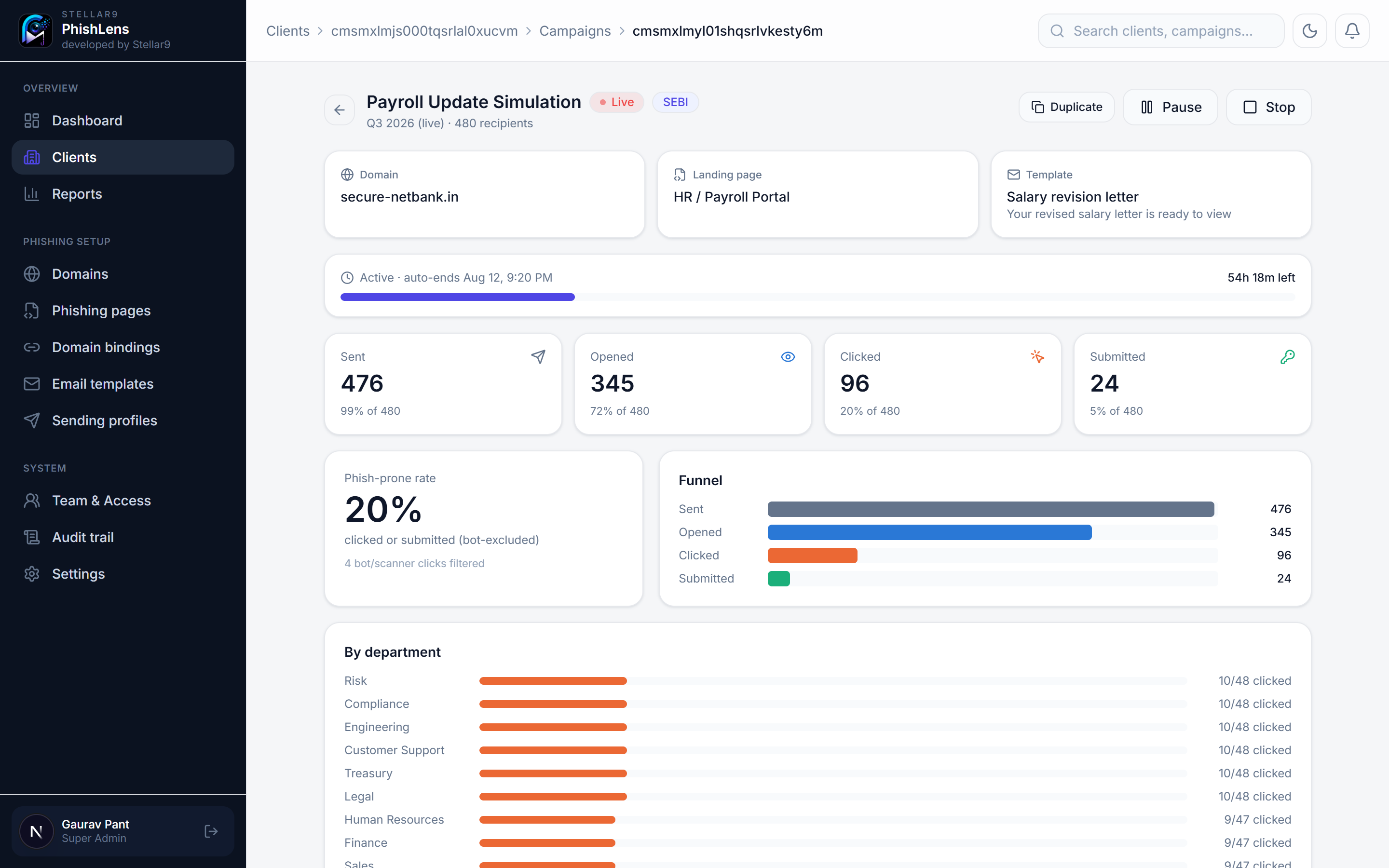
A live command view per campaign — funnel, phish-prone rate, department risk and the running window — with pause, resume and stop at your fingertips.
- Window timeline — start, now and auto-end with a live countdown.
- Phish-prone rate — bot-excluded, benchmarked against the sector.
- Department risk — see exactly who needs training first.
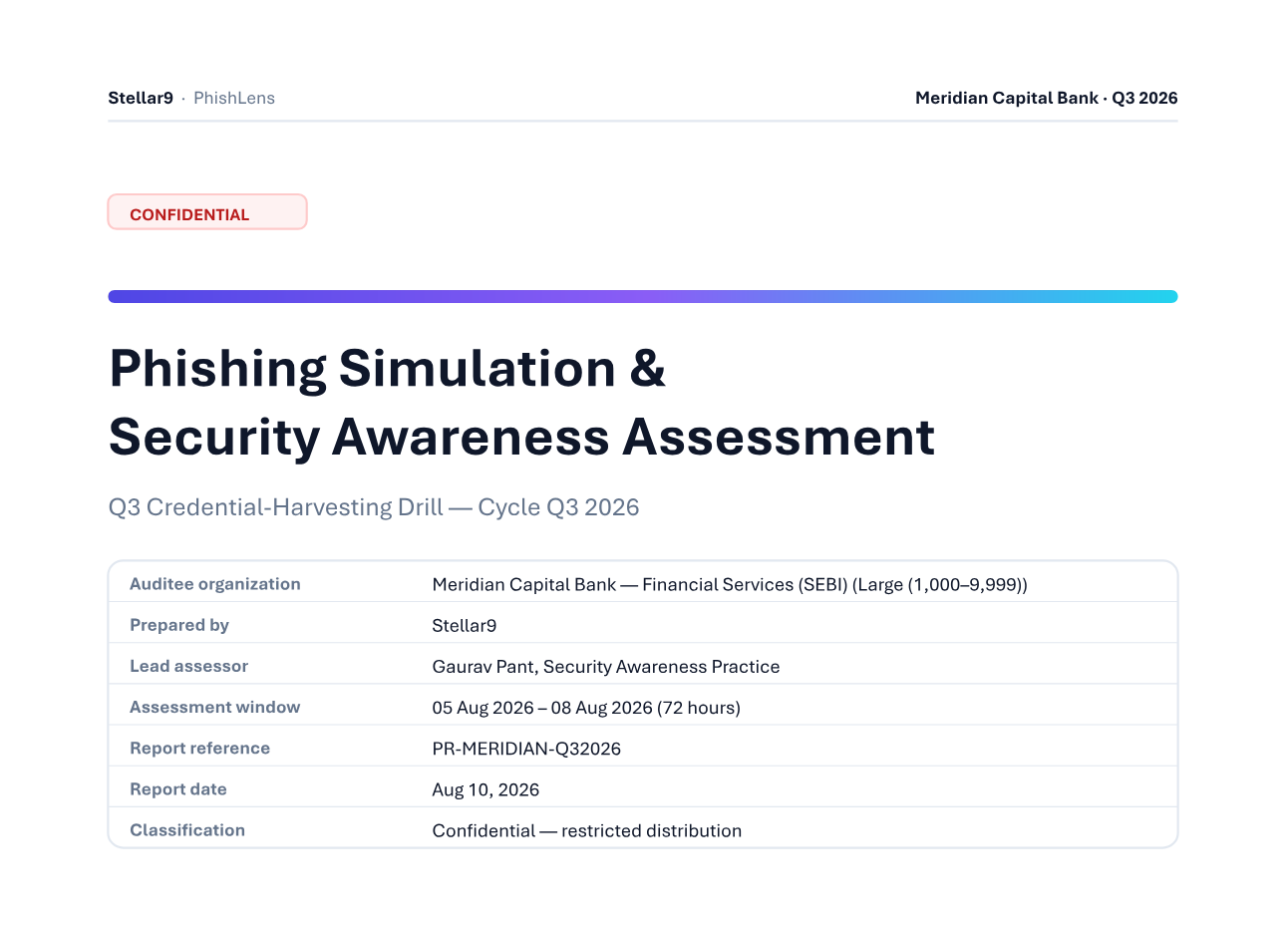
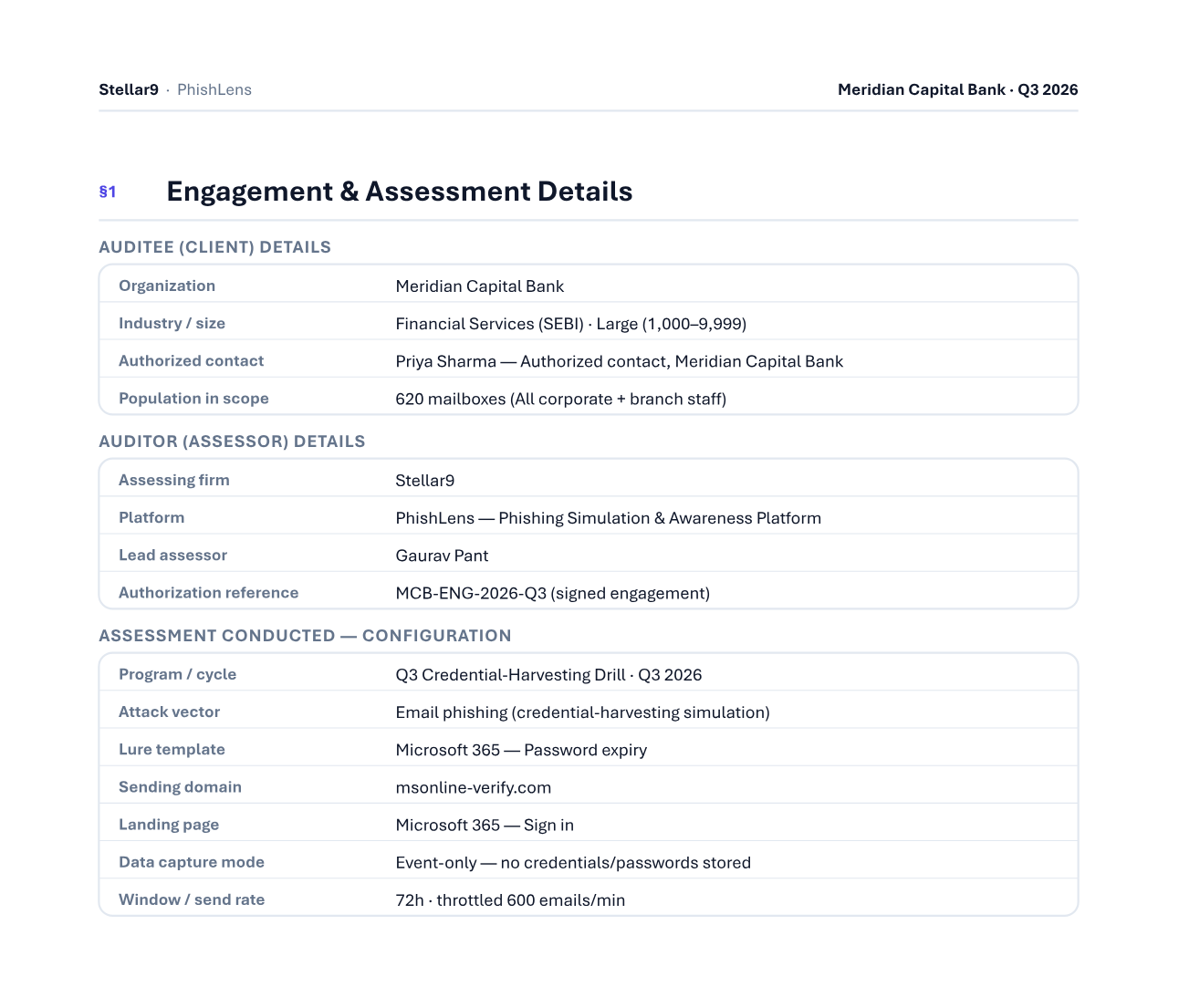
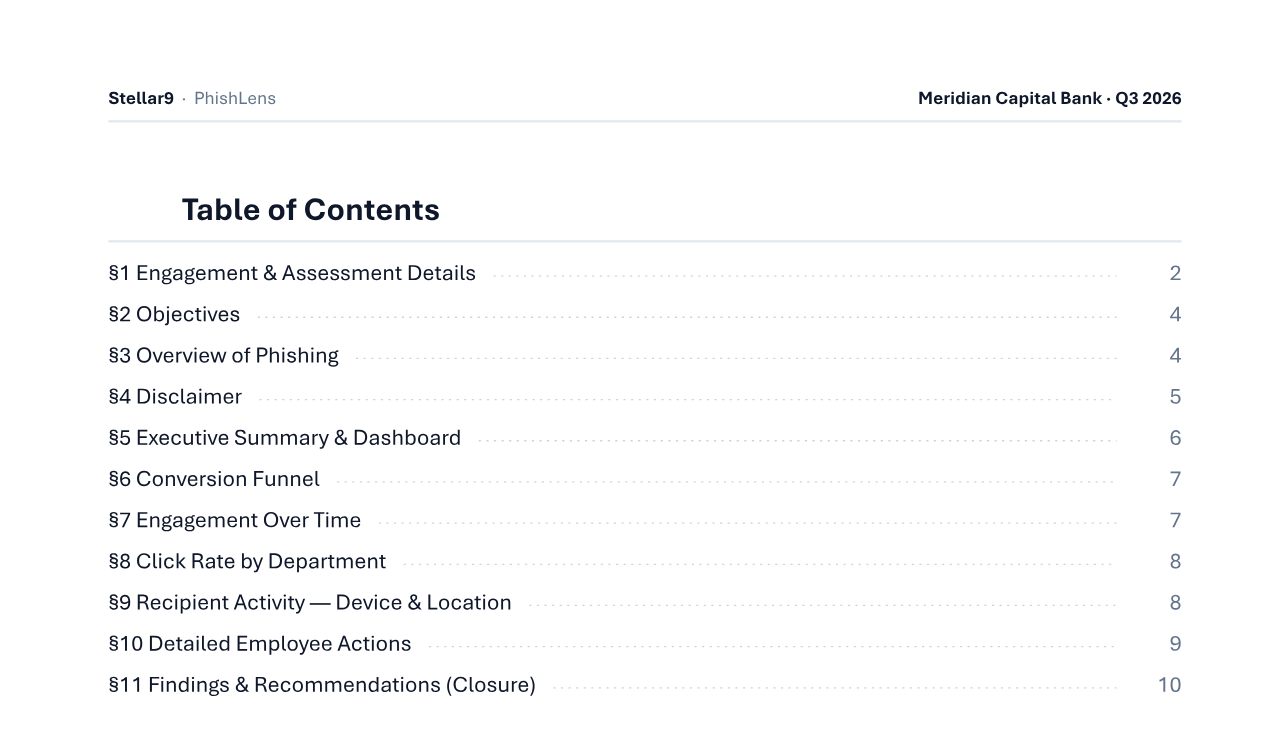
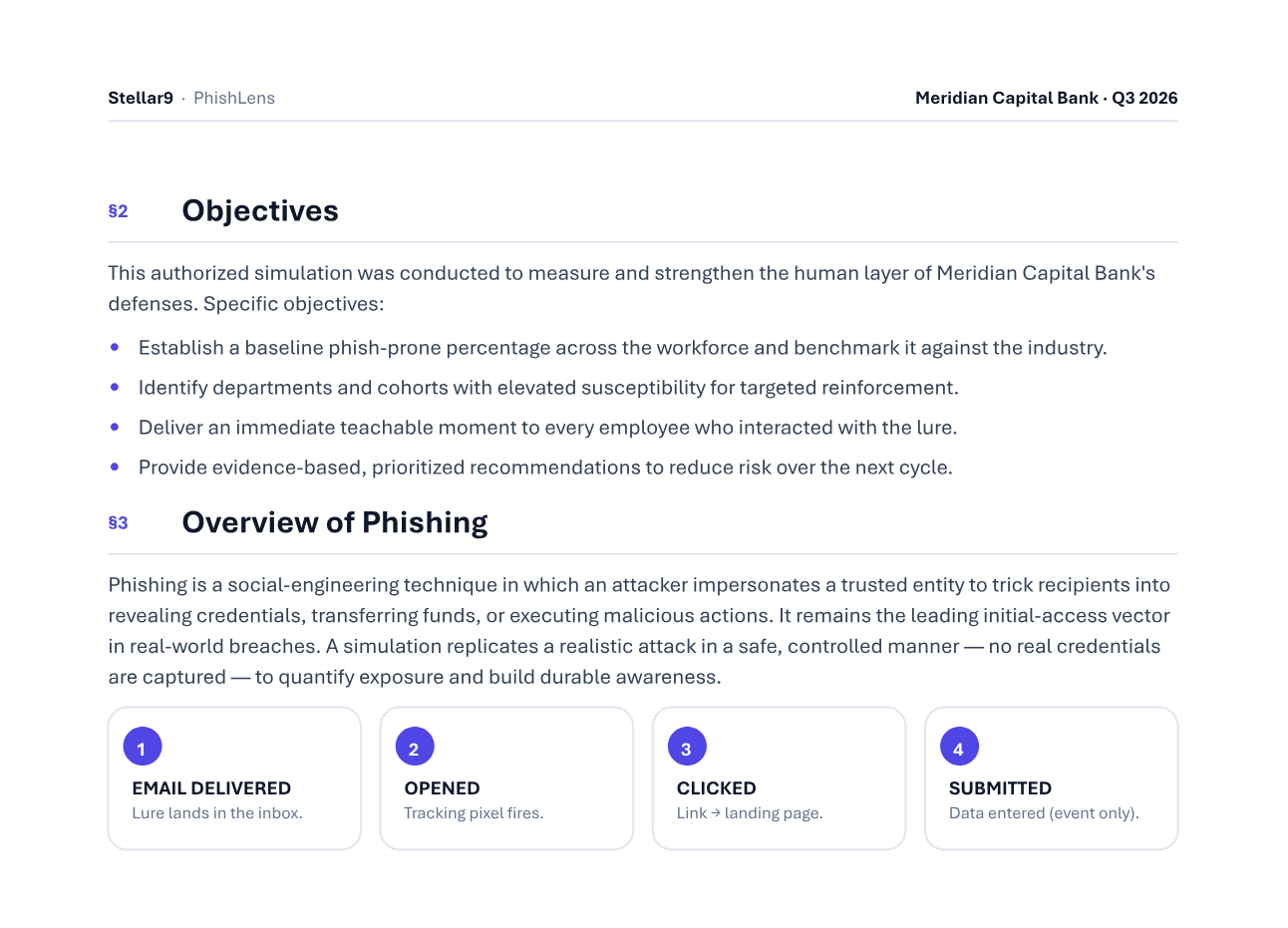
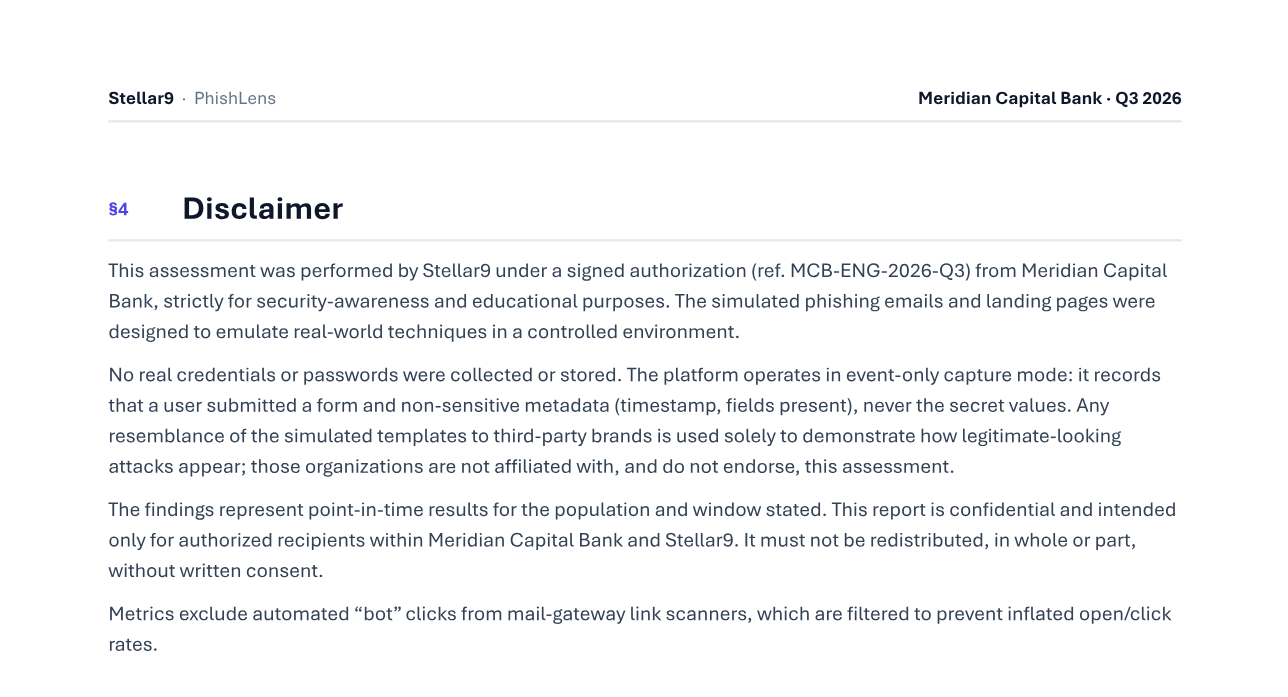
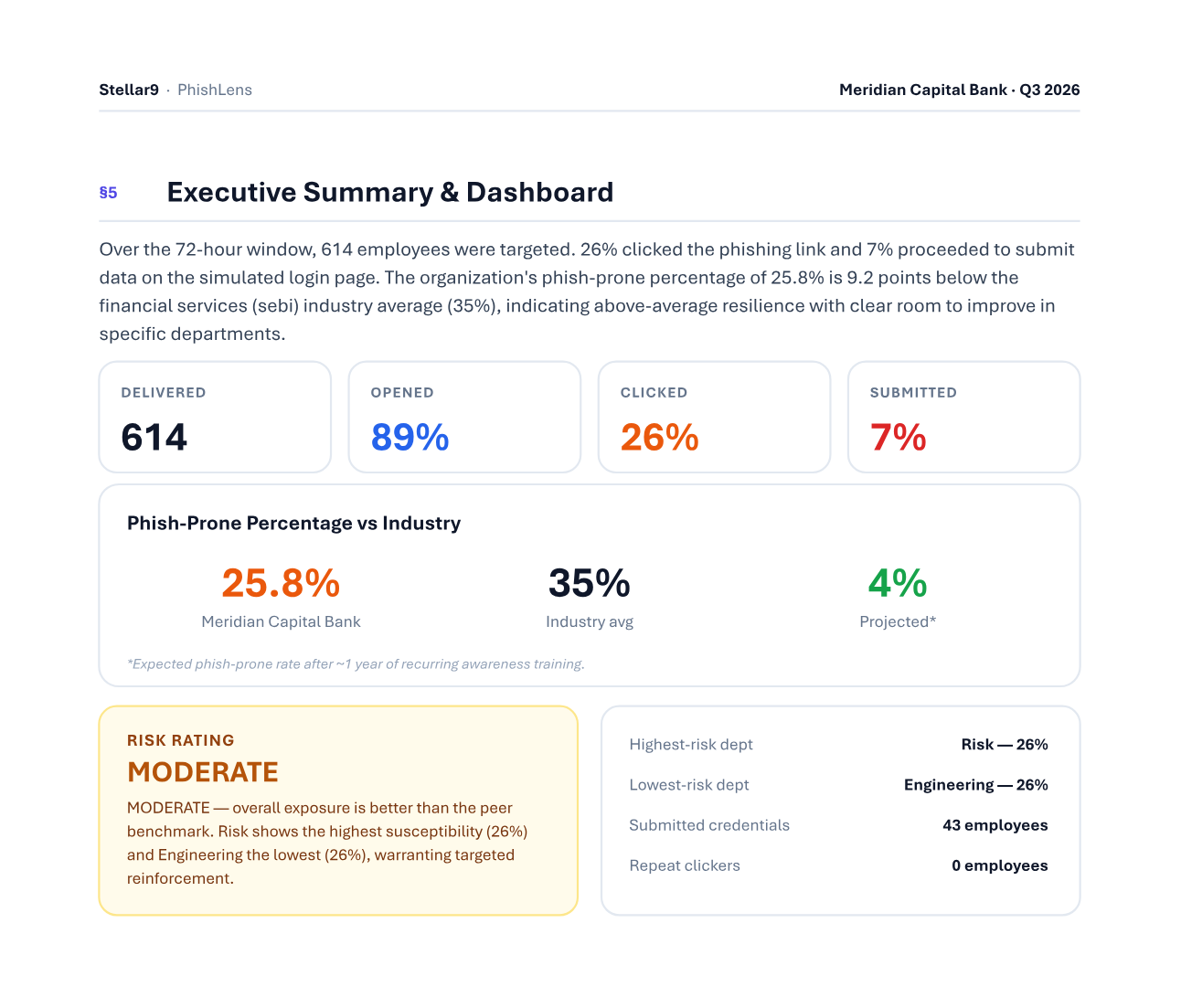
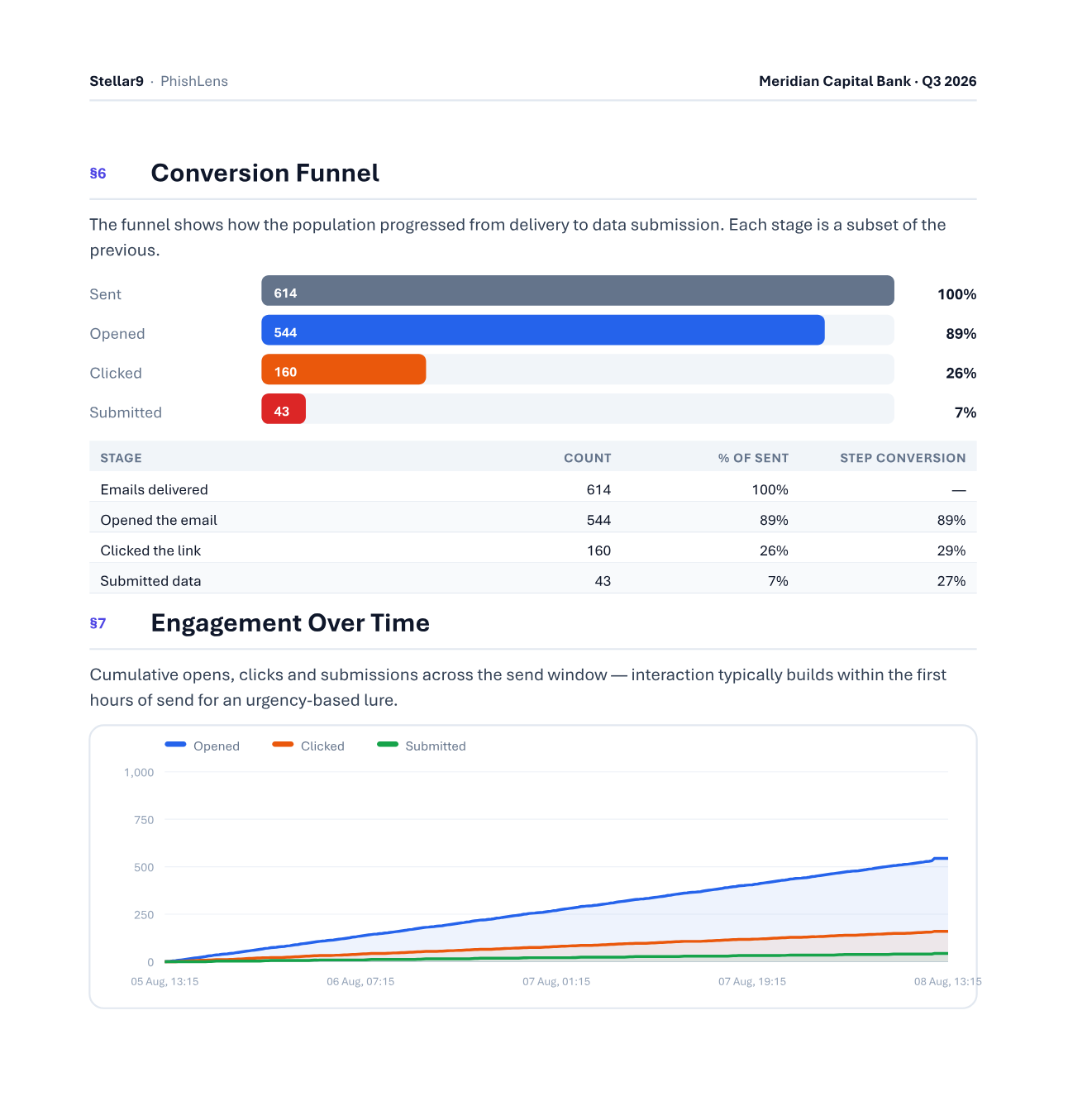
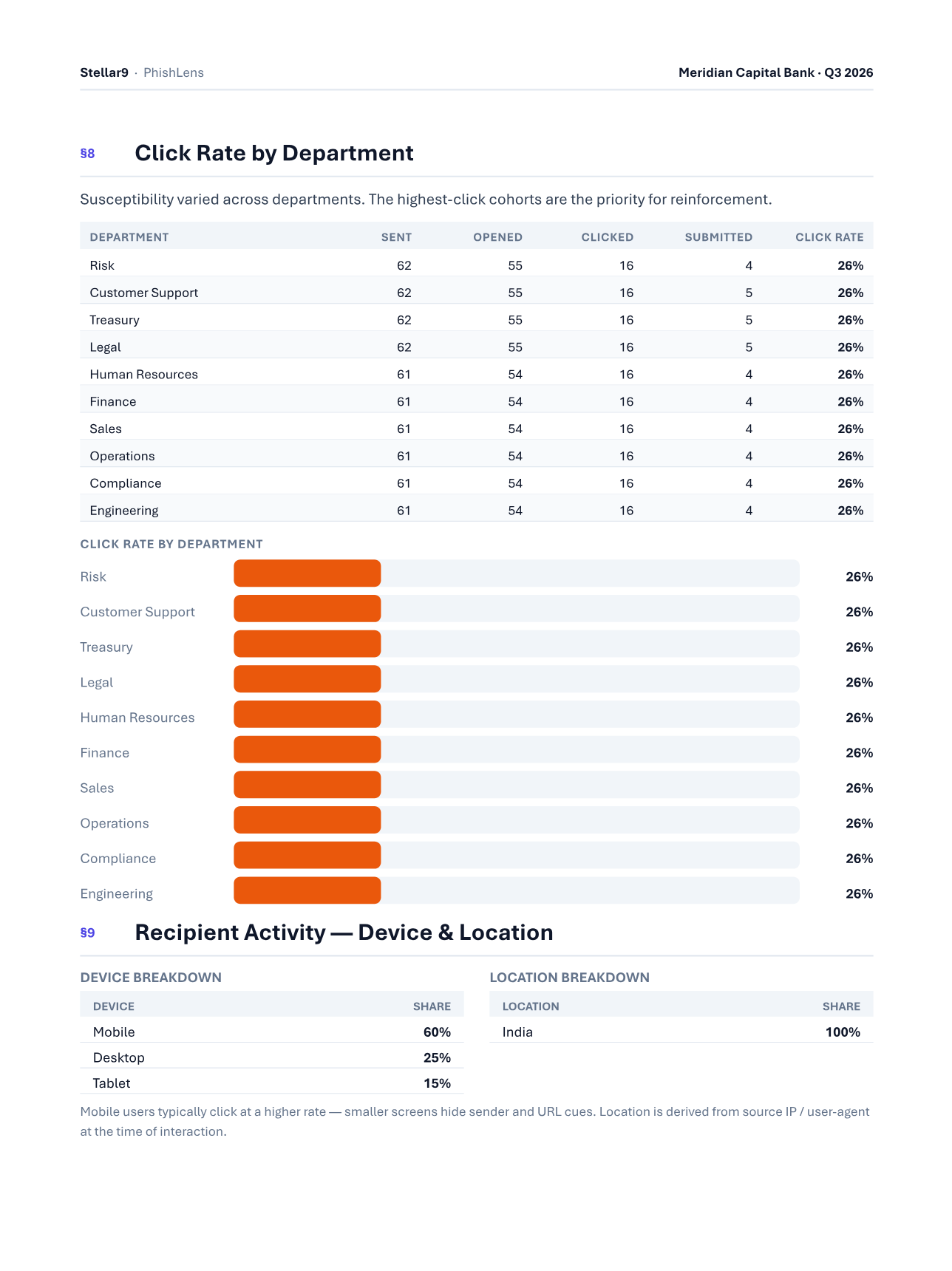
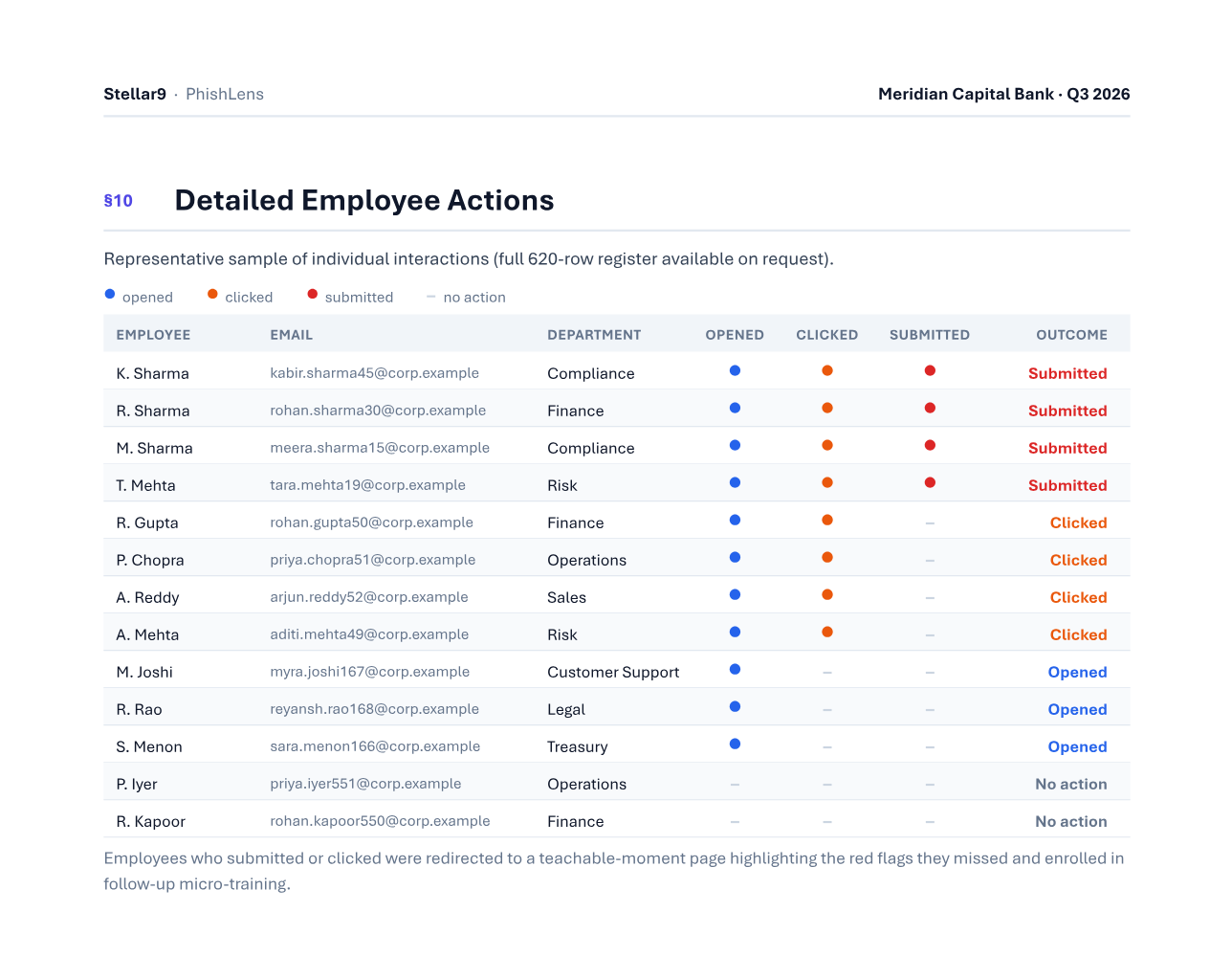
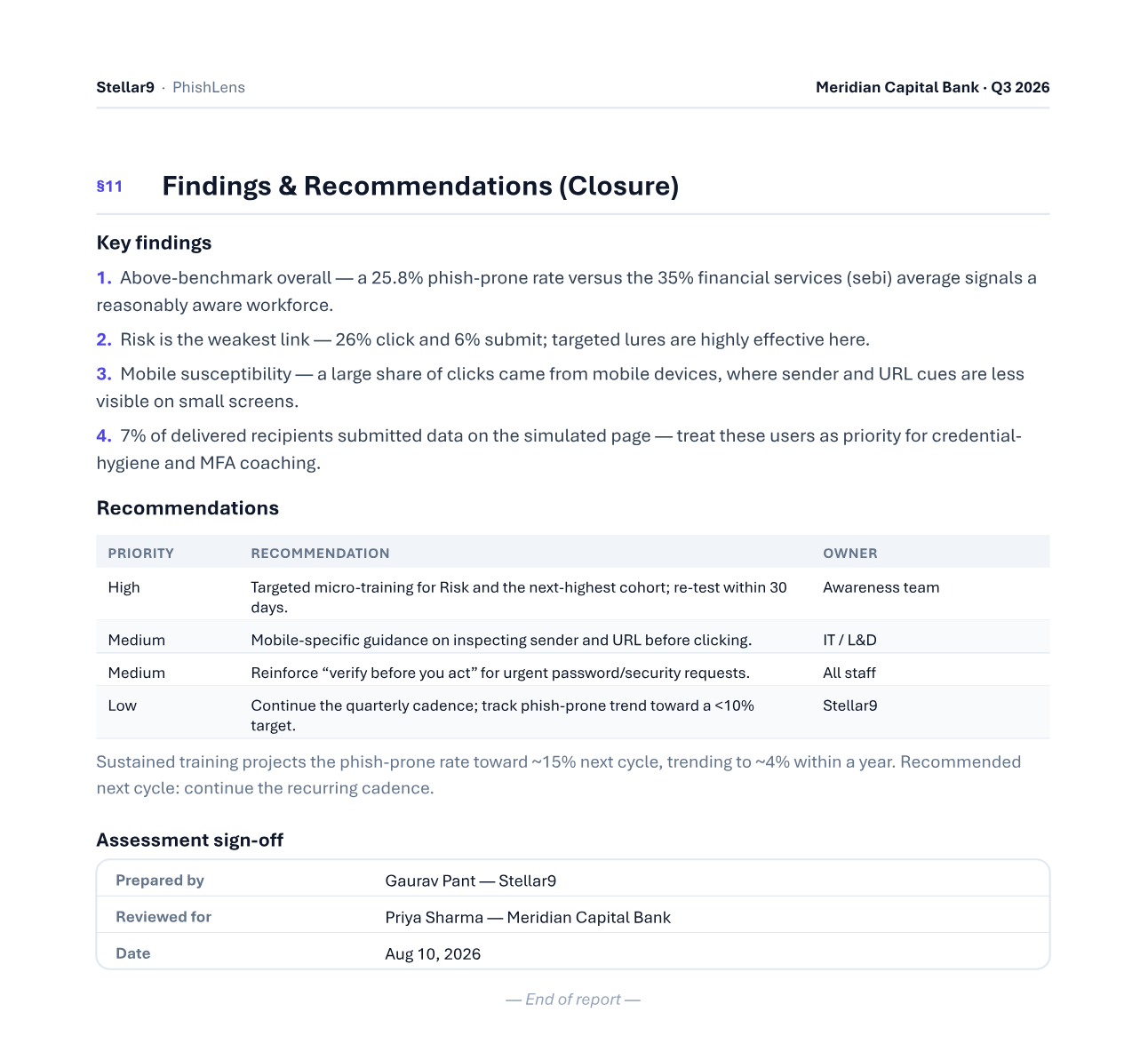
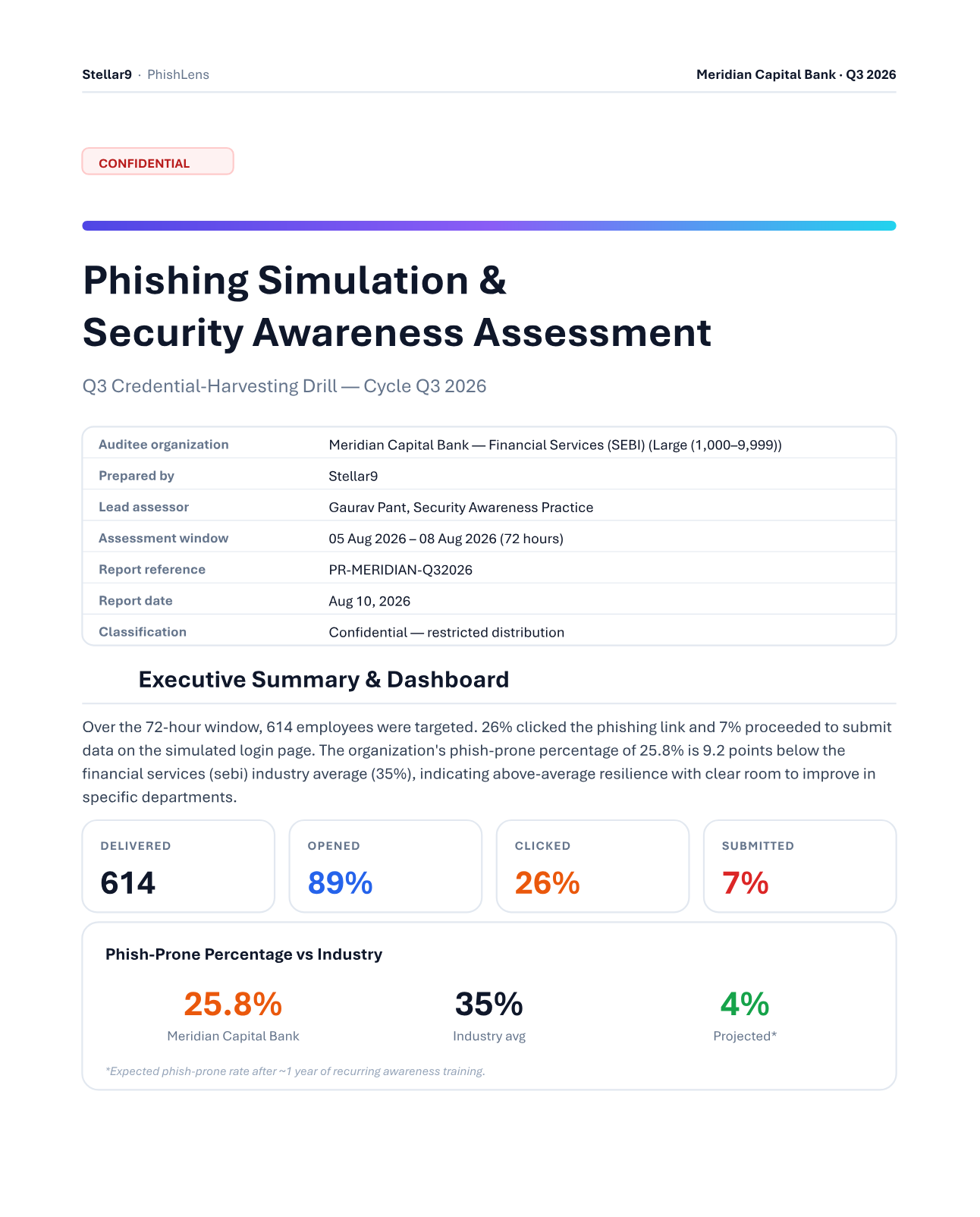
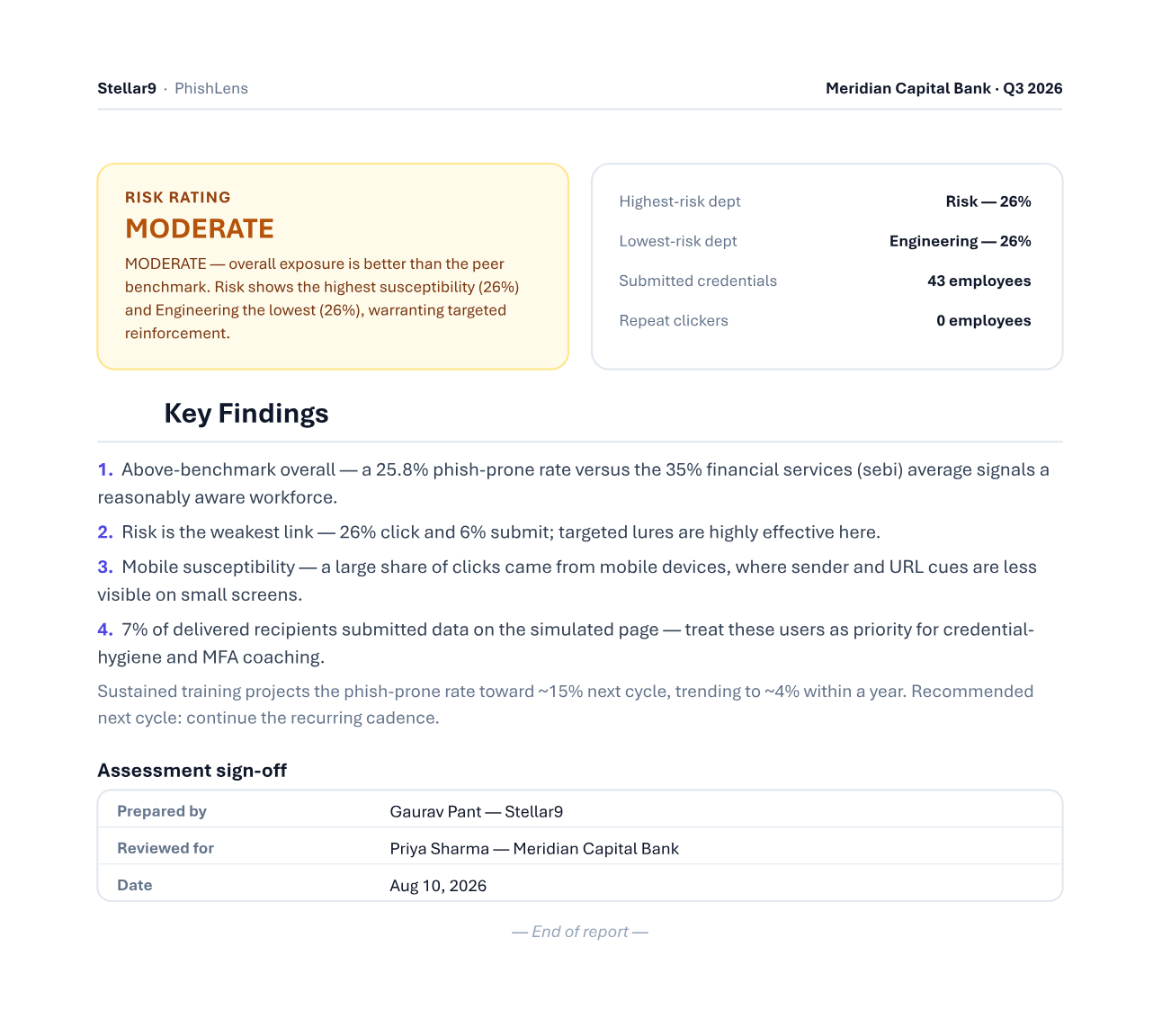
Board-ready reports — structured for the audit committee.
Every completed campaign becomes a branded, confidential assessment. Step through the actual pages — a full detailed report or a one-page executive summary, each exportable as PDF or editable Word.
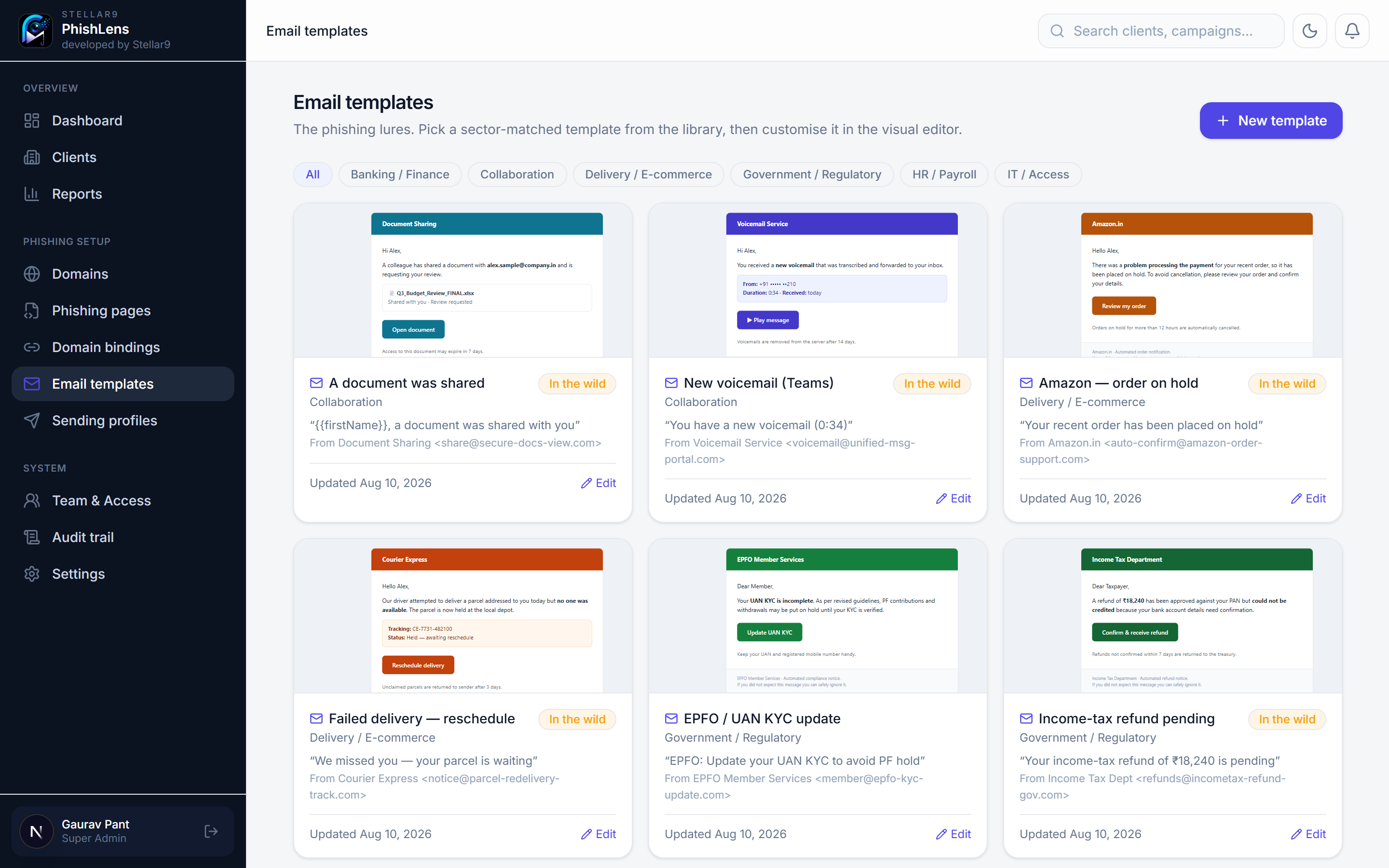
Templates that match the target.
A curated, sector-tuned library — password resets, KYC alerts, payroll notices, voicemail and delivery hooks — each paired to a matching landing page and editable without touching code.
- Visual editor with merge-tags, tracked links and one-click test sends.
- Teachable moments — every submit can reveal the red flags that gave it away.
- Sector-matched — filter lures by industry and pair them to a landing page.
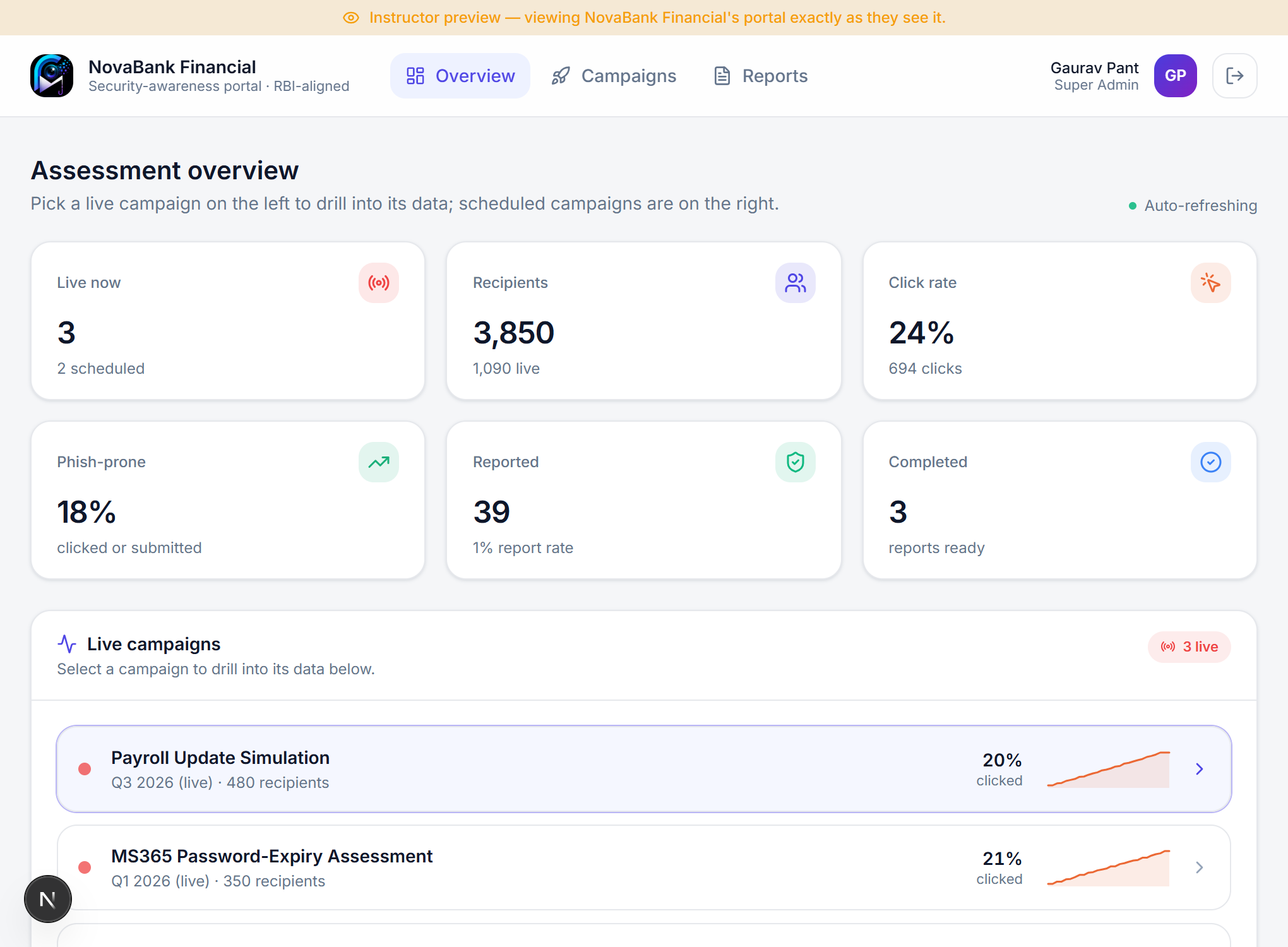
A dedicated portal for every client.
Invite the auditee into their own secure, scoped workspace. They watch their simulations unfold live — and can run, pause and monitor their own campaigns — while your lures, domains and sending profiles stay entirely out of view.
- Scoped to their data — each client sees only their own campaigns, recipients and reports.
- Self-service, when enabled — client admins launch, pause and resume; viewers stay read-only.
- Full transparency — the same live funnel, phish-prone rate and board-ready reports you see.
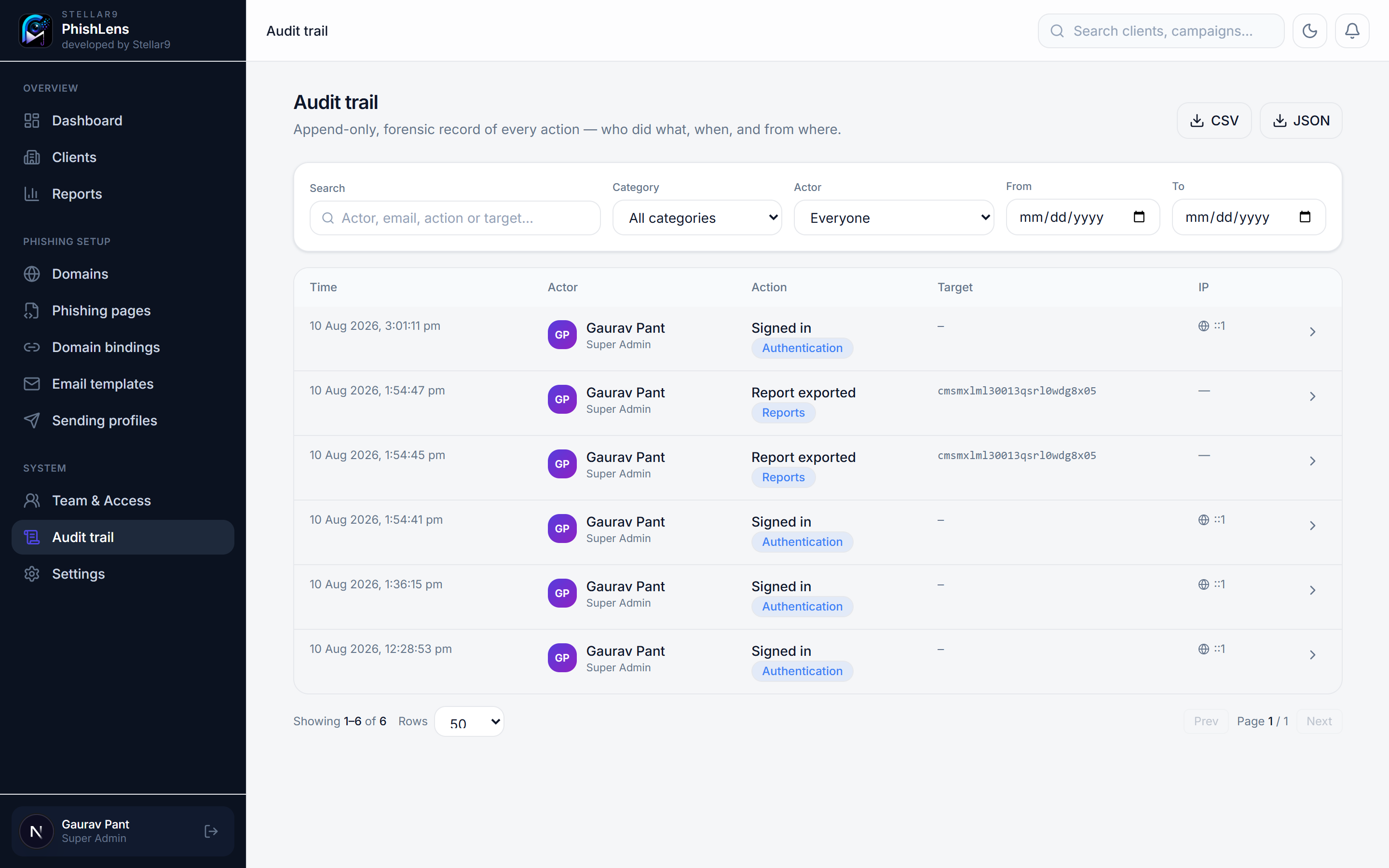
A forensic audit trail for every action.
Client onboarding, domain and page changes, campaign launches and stops, captured-data views, report downloads — even super-admin actions — are written to an append-only log the moment they happen, ready for a regulator's scrutiny.
- Who, what, when, where — actor, role, action, target and source IP on every entry.
- Search & filter — by category, actor or date range across the entire history.
- Export for evidence — one click to CSV or JSON; the log is never purged by retention.
Built for authorised testing — and to withstand an audit.
Human-risk testing is sensitive. PhishLens treats responsible handling as a first-class feature, not a policy PDF — so your simulations stand up to a regulator's scrutiny.
Event-only capture is the default. You measure behaviour, you don't collect passwords.
Any optional capture is encrypted at rest, super-admin only, and every view is logged.
Every client engagement records who authorised it, the scope and the reference.
Every action — by client or super-admin — is logged append-only with actor, time and IP, and exportable for the regulator.
From onboarding to board sign-off, in five moves.
Onboard
Add the auditee, capture authorisation, scope and engagement window.
Build
Pick a sector lure & landing page, verify the sending domain's DNS.
Schedule
Set start & end dates, or launch now — it auto-runs and auto-ends.
Measure
Watch live trails, funnels and department risk update in real time.
Report
Export the branded PDF/Word assessment for the audit committee.
Cloud-hosted. Access shared in minutes.
We run PhishLens in a managed, secure cloud — nothing for you to install or maintain. You receive instructor access and invite your team and each auditee with role-based permissions — including a scoped self-service portal for clients.
See your human risk in sharp focus.
Book a 30-minute walkthrough and we'll run a live simulation against a demo tenant — dashboard, report and all.